Training Composer User Guide
Create, deliver, and supervise immersive training.
Learn how to author training on Mac, run it on Apple Vision Pro, and supervise sessions from iPad with workspace-backed projects.
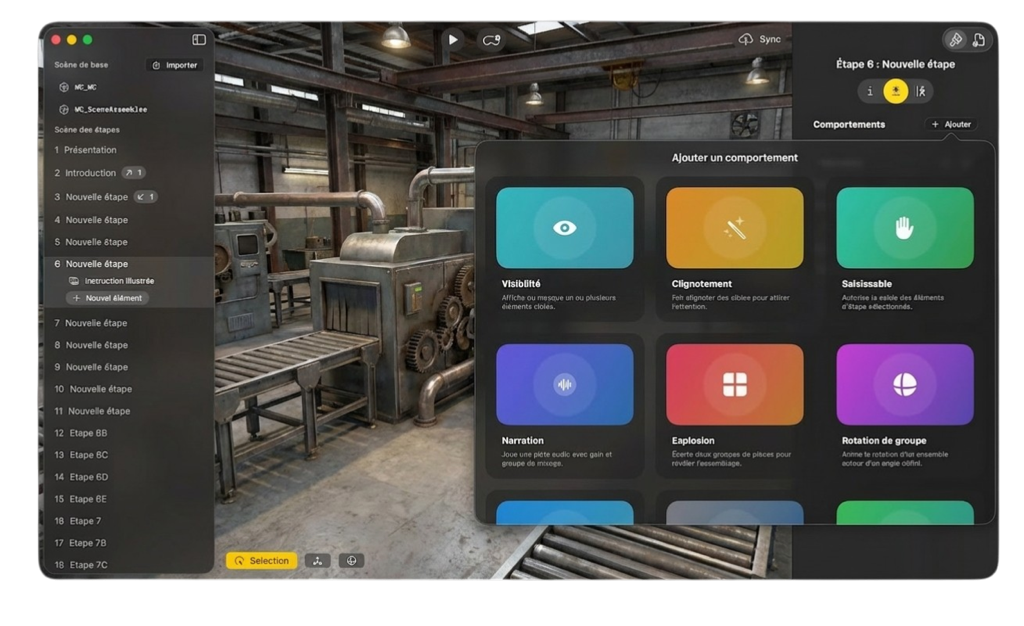
Choose your workflow.
The guide is organized by what you need to do, not by internal app architecture.
Author on Mac
Create a workspace project, import the 3D environment, build training steps, preview the module, and save it for learners.
Learn on Vision Pro
Sync assigned training modules, choose a project, launch the immersive session, and follow the step-by-step guidance.
Supervise on iPad
Connect to a learner headset, monitor progress, select modules, and control the session when instruction needs support.
Manage Deployment
Organize projects, manage workspace access, configure branding, and prepare modules for teams or self-hosted deployments.
Common tasks